PlayStation Consoles and Gaming Systems
PlayStation products span home consoles, games, controllers, and accessories for different play styles. Console generations such as PlayStation 5 and PlayStation 4 offer distinct libraries and capabilities, so check the product listing for the exact model, storage capacity, and included components. PlayStation 5 models support features such as fast loading through an SSD, while compatible games may offer enhanced visuals and responsive haptic feedback. Disc and digital editions differ in how games are accessed: a disc drive supports physical media, while digital play relies on downloads and account access. Ubuy provides a place to discover PlayStation products from international selections; compare specifications carefully to make sure a system fits your gaming setup, preferred format, and expectations.
- Compare console model and storage
- Choose disc or digital access
- Check included items and specifications
PlayStation Games, Genres, and Editions
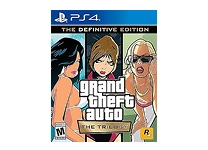
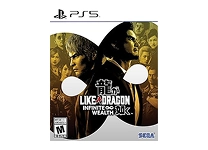
PlayStation games cover action, adventure, sports, racing, role-playing, family entertainment, and multiplayer experiences. Explore both physical game discs and digital titles, and review the product format before purchasing: a disc requires a compatible drive, while digital games are typically accessed through an account and platform store. Edition names can indicate added content, such as downloadable expansions, bonus items, or season passes, but included extras vary by release. Check the game's supported console, player modes, language details where listed, and any online or peripheral requirements. Age ratings and content descriptions can help shoppers choose suitable titles. Whether building a collection or finding a gift, comparing genre, edition, and compatibility details helps narrow the options without relying on assumptions about what a package contains.
- Browse games by genre and play style
- Verify console and format compatibility
- Compare standard and special editions
Controllers and PlayStation Accessories
The right accessories can make a PlayStation setup more comfortable and versatile. Wireless controllers are central for solo and local multiplayer, while charging docks, replacement cables, and controller grips can support everyday use. PlayStation 5's DualSense controller includes adaptive triggers and haptic feedback in supported games; features may vary by title and accessory. Other useful categories include media remotes, camera accessories, steering wheels, and arcade-style fight sticks. Before ordering, confirm compatibility with the console generation and check whether a product connects by USB, Bluetooth, or a dedicated wireless receiver. Ubuy can help shoppers discover PlayStation accessories from international product ranges. Review the listed contents, connection method, and any software or game requirements to choose accessories that suit your space and preferred games.
- Match accessories to console generation
- Check connection type and included cables
- Consider comfort and intended game use
PlayStation Headsets, Audio, and Storage
Headsets and audio accessories can make multiplayer communication clearer and bring more detail to game sound. Compare wired and wireless designs, microphone placement, comfort, battery requirements, and connection options such as USB or a 3.5 mm audio jack. Some headsets offer surround or spatial audio features, but support can depend on the console, game, and software settings. Storage is another practical consideration: external USB drives can help manage compatible game libraries, while supported internal expansion options may require specific drive specifications. Check the console's requirements before buying an SSD or other storage product, since not every device supports game installation or playback in the same way. Look for clear compatibility notes and installation guidance to avoid choosing a product that does not meet your intended use.
- Compare headset fit and connectivity
- Check microphone and audio features
- Confirm storage specifications and support
Compatibility, Setup, and Care
A smooth PlayStation setup starts with checking the model number and the requirements of each game or accessory. Console generations are not interchangeable in every respect, and backward compatibility, controller support, and available features can vary by title and device. For online play, consider your home network, account access, and whether a game or service requires an internet connection. Keep consoles well ventilated, place them on a stable surface, and follow the manufacturer's instructions for cleaning and software updates. Use compatible power and connection accessories, and avoid forcing plugs or opening devices without appropriate guidance. When browsing Ubuy, compare product descriptions and compatibility details to identify items suited to your system. Taking a moment to verify fit, format, and setup needs can help prevent avoidable purchasing mismatches.
- Check model and game requirements
- Follow ventilation and care guidance
- Review network and account needs
Select the Right playstation
Start by deciding what matters most: a current-generation console, access to a particular game library, physical discs, or a specific accessory. Compare PlayStation 5 and PlayStation 4 listings by model, storage, included controller, and supported media, then verify each game's console and edition. If you already own a system, use its exact model to check accessory compatibility before adding a headset, charging dock, controller, or storage device. Consider who will play, whether local multiplayer matters, and how much space is available for the console and accessories. Read product specifications and package contents rather than assuming that bundles include particular extras. Ubuy offers a way to explore international PlayStation products; careful comparison of features, formats, and compatibility can help you choose confidently for gaming, entertainment, or gifting.
- Prioritize games, format, and budget
- Compare package contents and features
- Verify compatibility before checkout